
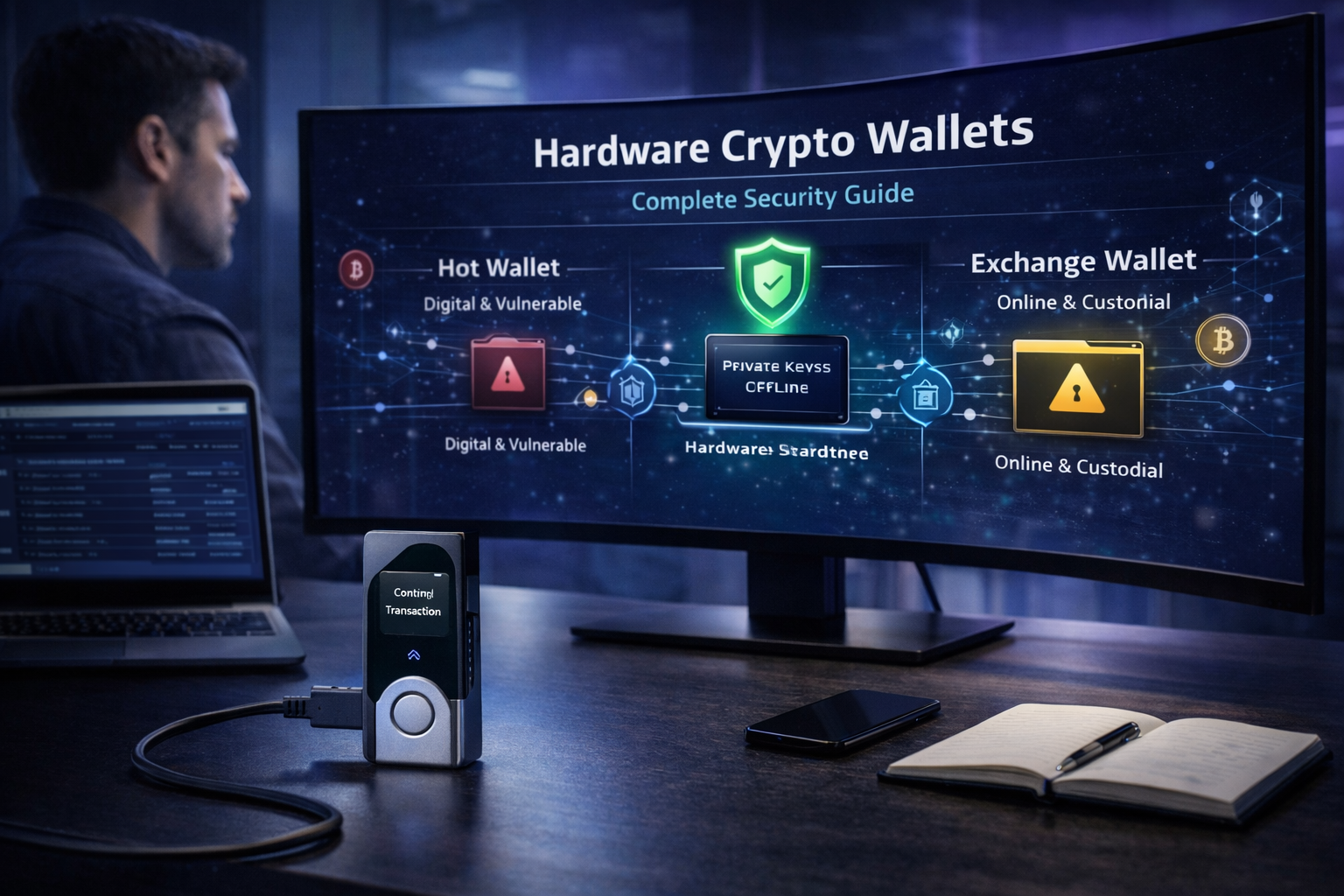
Hardware wallets have become a core building block of secure self‑custody for serious crypto users, especially as on‑chain activity and the value locked in DeFi have grown. Yet many people buy a hardware wallet without fully understanding what problems it actually solves, what attack vectors remain, and how their own behavior can still undermine wallet security.
This guide presents a complete, security‑first view of hardware wallet usage—from core concepts and security architecture to practical setup, recovery, and integration with DeFi protocols. It explains how hardware wallets work, why they are powerful tools for cold storage, what they protect against, where they fail, and how to combine them with robust security practices to safely store crypto over the long term.
Section 1: Key takeaways
- A hardware wallet is a dedicated device that stores private keys offline and signs transactions in isolation, providing enhanced security compared with keys kept on internet‑connected devices.
- Hardware wallets greatly reduce the risk from malware and remote compromise, but they do not prevent phishing, blind signing of malicious smart contracts, or theft of seed phrases.
- Seed phrases are the ultimate recovery keys; losing or exposing them is equivalent to giving away full control of funds, regardless of how secure the hardware device is.
- The safest way to store crypto uses hardware wallets for cold storage, with offline, redundant backups, verification of addresses on‑device, and careful separation between storage wallets and high‑risk DeFi interaction wallets.
- Real crypto security depends on both technology and user behavior: even the best hardware wallet cannot compensate for poor operational security, unsafe devices, or reckless approvals in DeFi protocols.
Section 2: What is a hardware crypto wallet?
A hardware crypto wallet is a physical device designed specifically to generate, store, and use private keys in a secure, offline environment. Unlike pure software crypto wallets that run entirely on a computer or phone, hardware wallets keep keys inside tamper‑resistant chips and never expose them directly to the operating system of a host device.
How it differs from software wallets
Software wallets, whether mobile apps, browser extensions, or desktop clients, store keys in the memory or secure storage of an always‑online device. This makes them convenient but vulnerable to malware, clipboard hijacking, keyloggers, and other compromises of the host system.
In contrast, hardware wallets:
- Generate and store keys on dedicated hardware.
- Require physical confirmation on the device to sign transactions.
- Expose only signatures and public data to the host computer or phone.
They are typically used together with companion apps that display balances, build transactions, and manage multiple crypto wallets, while the device itself performs the sensitive signing operations.
Why hardware wallets are associated with cold storage
Cold storage means keeping private keys offline and disconnected from the internet except for tightly controlled signing operations. Because hardware wallets isolate keys from the host device and the network, they are widely considered a form of cold wallets when used correctly.
However, the label is about how they are used: a hardware wallet connected constantly to a compromised computer and used for every experimental DeFi interaction does not offer the same risk profile as one stored securely and used only for infrequent transfers.
Where hardware wallets fit in the broader crypto wallet landscape
Crypto wallets exist on a spectrum:
- Custodial storage: Exchanges and custodial services hold keys on behalf of users.
- Non‑custodial wallets (software): Users control keys on general‑purpose devices (hot wallets).
- Hardware wallets: Users control keys on specialized devices designed for cold storage and secure signing.
Non‑custodial wallets (including hardware wallets) give users direct control, but also full responsibility, for wallet security and recovery.
Section 3: How hardware wallets work
At a high level, hardware wallets work by combining secure key storage, offline transaction signing, and a minimal interface for confirming actions.
Private key generation
When first initialized, a hardware wallet generates high‑entropy random numbers using onboard hardware or cryptographically secure pseudorandom number generators. These are used to create a master private key and associated seed phrase according to standards such as BIP39.
The seed phrase (usually 12–24 words) encodes the entropy needed to deterministically derive all keys and addresses in that crypto wallet. Because seed phrases can recreate the wallet even on a different device, they must be protected as carefully as the device itself.
Offline key isolation
The defining property of hardware wallets is that private keys never leave the secure chip or microcontroller once generated. Signing operations are performed entirely inside the device; only non‑sensitive data, such as public keys or signed transactions, is sent to the host.
An analogy: the hardware wallet is like a locked safe with a small letter slot. Someone can slide unsigned transaction “papers” in, and the safe returns stamped approvals, but the master key inside the safe never comes out.
Transaction signing with a host device
Most hardware wallets rely on a companion app (desktop, mobile, or browser) to construct transactions:
- The host app builds an unsigned transaction (e.g., sending funds or interacting with a smart contract).
- The unsigned data is sent to the hardware wallet over USB, Bluetooth, or QR code.
- The device displays critical details—amount, address, and sometimes parsed contract data—for the user to verify.
- On physical confirmation (button press or touch), the hardware wallet signs the transaction inside its secure environment.
- The signed transaction is returned to the host for broadcasting to the blockchain.
This workflow means malware on the host cannot directly read or export private keys, although it can still attempt to trick users into signing harmful transactions.
How wallets work at a basic security level
From a security perspective, hardware wallets implement three main controls:
- Key confidentiality: Keys are stored in sealed memory and never appear in cleartext outside the device.
- Access control: PINs, passphrases, and physical presence are required to unlock and use the device.
- User verification: Screens and buttons on the device allow users to verify addresses and amounts independently of the host system.
Together, these controls reduce the impact of many software‑level attacks on general‑purpose devices.
Section 4: Hardware wallets vs hot wallets vs cold wallets
The following comparison highlights how hardware wallets relate to hot wallets and other cold wallets.
Comparison table
| Feature | Hot wallets (software) | Hardware wallets | Other cold wallets (paper/air‑gapped) |
|---|---|---|---|
| Connectivity | Always or mostly online on general devices | Offline by default; connect only to sign | Completely offline (paper, air‑gapped laptops) |
| Convenience | Very high for daily use and DeFi | Moderate; extra step to connect and confirm | Low; cumbersome for frequent transactions |
| Attack surface | Large: OS malware, browser exploits, keyloggers, clipboard hijacking | Reduced: OS malware cannot read keys; still vulnerable to phishing and blind signing | Low for remote attacks; higher risk of physical loss or damage |
| Ideal use cases | Small balances, experimentation, frequent DeFi activity | Long‑term storage, medium to large balances, secure signing | Deep cold storage, archival holdings rarely moved |
| Risk level (if misused) | High if large sums kept online or security hygiene is poor | Moderate; greatly reduced key‑theft risk but user behavior still critical | Low for remote theft; high if backups mismanaged or not duplicated |
| Best for | New users testing with small amounts; active DeFi traders | Most long‑term investors and serious self‑custody users | Ultra‑conservative holders, institutional vaults |
Hardware wallets sit between the flexibility of hot wallets and the rigidity of paper‑based cold storage, providing a practical balance between usability and protection.
Section 5: Why hardware wallets improve wallet security
Hardware wallets improve wallet security primarily by isolating private keys from always‑online devices and enforcing user verification on the device itself.
Offline key protection
Because keys never leave the hardware, malware or remote attackers that compromise a laptop or smartphone cannot simply export keys from the file system or memory. This sharply reduces one of the most common failure modes of hot wallets in which spyware or infostealer malware exfiltrates secret material.
Reduced exposure to malware
On software‑only crypto wallets, any malware with local access can read key storage, inject fake addresses into the interface, or even directly initiate transactions. With hardware wallets, the main role of the host is to relay transaction data; the device’s secure element or microcontroller enforces that only signed outputs leave.
Even if the host computer is badly compromised, an attacker typically must still trick the user into approving a malicious action on the hardware screen, rather than silently draining funds.
Transaction confirmation on device
Hardware wallets display transaction details on a trusted screen that is not controlled by the host operating system. Verifying recipient addresses and amounts on that screen mitigates clipboard‑hijacking attacks where malware modifies copied addresses before they appear in wallet software.
Enhanced security for long‑term storage
These properties make hardware wallets especially suitable for long‑term cold storage:
- Keys are protected from routine online exposure.
- Devices can be kept powered off and locked for extended periods.
- Even if the device is stolen, secure elements, PINs, and optional passphrases can resist many physical attacks.
For most users with significant holdings, moving long‑term funds from hot wallets or custodial platforms to hardware‑based cold storage is one of the highest‑impact improvements to crypto security.
Section 6: What hardware wallets protect against
Hardware wallets provide strong defenses against a range of technical threats.
Malware that steals keys from internet‑connected devices
Keyloggers, info‑stealers, and remote‑access trojans cannot read private keys directly from a properly used hardware wallet, because keys are confined to secure hardware. Even sophisticated malware families that target browser extensions or clipboard data cannot exfiltrate the underlying keys.
Many forms of remote compromise
Remote attackers who gain access to a user’s computer through exploits or phishing cannot simply dump wallet databases and brute‑force passwords if keys are never stored there. They would instead need to persuade the victim to authorize transactions on the hardware device.
Routine online exposure and insecure hot‑wallet habits
Hardware wallets are particularly effective at mitigating risks tied to:
- Storing large balances in browser or mobile wallets.
- Reusing the same compromised device for both general web browsing and sensitive crypto activity.
- Leaving software wallets unlocked for extended periods.
By shifting long‑term holdings into hardware‑based cold storage, users reduce the impact of many broad, opportunistic attacks.
Section 7: What hardware wallets do not fully protect against
A critical theme of this guide is that hardware wallets are not magic. They significantly raise the bar for attackers but do not eliminate many human‑factor and application‑layer risks.
Phishing and fake support scams
Attackers can still lure users to fake websites or impersonate support staff, convincing them to reveal seed phrases or perform unsafe actions. A hardware wallet cannot prevent users from typing their seed phrase into a phishing page or reading it over the phone to a scammer.
Seed phrase theft
If someone obtains a clear copy of the seed phrase—through theft, careless storage, or photos—hardware wallet protections become irrelevant. The attacker can recreate the wallet on any compatible device and drain funds without touching the original hardware.
Malicious transaction approvals and blind signing
In DeFi protocols, hardware wallets often show limited or generic information for complex smart contract calls, leading to blind signing. Users may approve transactions that grant unlimited token approvals or interact with malicious contracts because they cannot see full details on the device.
This is especially dangerous when:
- A site prompts enabling blind signing.
- Device screens show only “Data present” or raw hashes instead of human‑readable actions.
Fake wallet apps and compromised recovery workflows
Attackers may publish fake companion apps or wallet extensions that interface with genuine hardware devices but misrepresent what is being signed or redirect funds after transactions are created. Similarly, using untrusted tools to generate or import seed phrases defeats the point of secure hardware key generation.
Poor operational security
Hardware wallets cannot fix:
- Storing seed phrases in cloud notes or email.
- Using easily guessed PINs or writing them on the device packaging.
- Leaving devices unattended and unlocked.
- Failing to test recovery and then losing the only backup.
The device’s strong security architecture must be complemented by disciplined user behavior.
Section 8: Security architecture of a hardware wallet
Although designs vary, most modern hardware wallets share common security architecture patterns.
Secure elements and tamper resistance
Many leading hardware wallets use secure element chips—specialized components designed for secure key storage and tamper resistance, similar to those used in passports and payment cards. These chips provide:
- Hardware‑enforced access controls for keys.
- Protection against simple side‑channel and glitching attacks.
- Built‑in mechanisms for limiting PIN attempts and erasing secrets under attack.
Recent Trezor Safe devices, for example, pair a secure element with a microcontroller, ensuring that PIN verification and seed storage occur inside the secure element.
Local transaction verification
Hardware wallets include small screens and buttons so users can independently confirm transaction details, even if the companion app or browser is compromised. This mitigates attacks where malware alters recipient addresses or amounts on the host display.
Firmware trust assumptions and updates
Users must trust that the firmware running on a hardware wallet is genuine and uncompromised. Vendors implement mechanisms such as:
- Secure boot and signed firmware images.
- Firmware attestation, where companion software verifies a hash of the running firmware.
Regularly updating firmware from official sources is critical: it applies security patches and sometimes introduces better defenses against emerging threats.
PINs, passphrases, and device‑level access control
Hardware wallets typically enforce a PIN to unlock the device and may support optional BIP39 passphrases (sometimes called a “25th word”).
- PINs protect against opportunistic access if the device is lost or stolen.
- Passphrases add an extra secret required to derive keys from seed phrases; without the passphrase, the wallet cannot be restored even if the seed is known.
These controls protect the device and keys, but they do not replace the need to secure backups against theft.
Device protection vs recovery protection
Device‑level protections (PINs, secure elements) make it hard to extract keys from a stolen device. Recovery protection, however, depends entirely on how seed phrases and passphrases are stored outside the device.
A hardened device cannot compensate for a seed phrase written in plain text in a desk drawer or saved as a phone photo.
Section 9: Seed phrases, backups, and recovery
Seed phrases, backups, and recovery planning are the true backbone of long‑term wallet security.
Why seed phrases are the ultimate recovery key
A BIP39 seed phrase encodes all entropy needed to regenerate the hierarchical tree of keys and addresses in a hardware wallet. Anyone who knows the correct seed phrase (and any passphrase) can fully reconstruct the wallet, regardless of the brand or hardware.
This makes seed phrases:
- The only way to recover funds after hardware loss, destruction, or manufacturer failure.
- The most sensitive secret in the entire self‑custody stack.
Why storing seed phrases digitally is dangerous
Digital storage—cloud notes, email, password managers, screenshots—creates large attack surfaces. If any linked account or device is compromised, an attacker may silently obtain the seed phrase and drain funds.
Because blockchain transactions are irreversible, theft via exposed seed phrases usually cannot be undone.
Offline backup options
Safer approaches focus on offline, physically secured backups:
- Handwritten copies stored in separate locations.
- Metal backups that resist fire, water, and physical damage.
- Shamir secret‑sharing or similar schemes for advanced users who need distributed backups.
Passphrase usage
Adding a passphrase to a seed phrase creates a new, independent wallet derived from the same mnemonic. This can:
- Provide plausible deniability (a decoy wallet without passphrase).
- Limit the impact if a seed is discovered without the passphrase.
Passphrases must be stored or memorized with equal or greater care than the seed; forgetting a passphrase can make funds unrecoverable.
How to test recovery safely
Before storing large amounts, users should:
- Use a spare device or test wallet to restore from the seed phrase.
- Confirm that addresses and balances match expectations.
- Wipe the test device if it will not be used.
This rehearsal verifies that backups are correct and that the user understands the recovery process.
What happens if the device breaks or is lost
If a hardware wallet is lost, stolen, or destroyed but seed phrases and passphrases are safely backed up, funds can be restored on:
- A new device of the same model.
- A different vendor’s compatible wallet.
- In some cases, a software wallet for urgent access.
If the only device and all backups are lost or destroyed, funds are effectively gone.
Section 10: Step‑by‑step setup checklist
The following checklist outlines a security‑first setup for a new hardware wallet.
- Buy only from official or trusted sources. Purchase directly from the manufacturer or authorized resellers to reduce the risk of supply‑chain tampering.
- Inspect packaging and initialize the device yourself. Avoid devices that arrive pre‑initialized or include pre‑printed seed phrases; reputable vendors instruct users to generate their own seeds on‑device.
- Generate keys on‑device. Follow the on‑screen instructions; never use third‑party tools or websites to create seed phrases for a hardware wallet.
- Write down seed phrases offline. Record the words clearly on paper or metal in a private setting with no cameras, scanners, or phones capturing them.
- Set a strong PIN and optional passphrase. Choose a non‑trivial PIN and consider using a passphrase if confident in managing it.
- Update firmware from official sources. Use only the vendor’s companion app or official updater to install firmware updates.
- Verify receiving addresses on the device and test with a small transaction. Send a small amount of funds, confirm the address on the hardware screen, and verify that the transfer behaves as expected.
- Test recovery before storing large amounts. Perform a full restore from seed on a spare device or after a secure wipe to confirm that backups function as intended.
Completing this checklist before moving significant value greatly reduces the likelihood of catastrophic setup errors.
Section 11: Common attack vectors and mistakes
Even with a hardware wallet, many attacks target users rather than cryptography.
Supply‑chain tampering
Attackers can alter devices before they reach buyers—for example, by installing modified firmware or including pre‑generated seed phrases. Buying used or unsealed devices, or trusting seeds printed on cards in the box, exposes users to complete compromise.
Malicious browser extensions and phishing domains
Browser extensions with excessive permissions can intercept Web3 connections, alter displayed data, or inject malicious DeFi transactions. Phishing domains mimic legitimate sites, prompting connection of a hardware‑backed wallet and requesting blind signing of malicious contracts.
Clipboard malware
Malware can overwrite copied addresses with attacker‑controlled ones. If users do not verify destination addresses on the hardware device, funds may be sent to the wrong recipient.
Blind signing in DeFi
Blind signing occurs when a wallet displays unreadable data or hashes instead of human‑readable actions, and the user approves anyway. In DeFi protocols, this can grant unlimited token approvals or execute complex operations that the user does not understand.
Reusing insecure devices
Using the same, poorly secured laptop for torrents, random software, and crypto activity increases exposure. While hardware wallets protect keys, compromised hosts can still mislead users about what is being signed or where funds are going.
Storing backups in cloud apps or exposing them to cameras
Uploading seed phrases to cloud drives, note apps, or email dramatically increases the chance of exposure. Taking photos of written seeds introduces risk through automated photo backup services and compromised phones.
Section 12: Hardware wallets and DeFi protocols
Hardware wallets can and should be used with DeFi protocols, but doing so safely requires careful design of how different wallets work together.
How hardware wallets interact with DeFi
In a typical DeFi setup:
- A browser extension or dApp (e.g., MetaMask) connects to DeFi protocols.
- The user configures the extension to use a hardware wallet as a signing device.
- Smart contract calls are initiated from the dApp, then forwarded to the hardware wallet for approval.
The hardware wallet ensures that private keys stay offline, even while interacting with complex contracts.
Where security improves
- Keys cannot be stolen by malware on the host device.
- Transaction approval still requires physical confirmation on the hardware device.
- Compromises of the dApp front end cannot directly export the keys.
Where risk remains
- Blind signing remains dangerous if the device cannot parse contract calls into clear messages.
- Malicious dApps can request broad approvals (e.g., unlimited token spend) that users may approve without understanding.
- DeFi smart contract bugs, rug pulls, and protocol failures are not mitigated by hardware wallets; they affect funds regardless of where keys reside.
Wallet segregation strategy
To balance flexibility and security when using DeFi protocols:
- Vault wallet: A hardware‑backed wallet used only for storage and occasional funding of other wallets; rarely, if ever, interacts directly with dApps.
- Interaction wallet: A separate wallet (possibly also hardware‑backed, but with smaller balances) used for day‑to‑day DeFi activity and experimentation.
This separation limits the impact of a compromised dApp or blind signing incident.
Section 13: Who should use a hardware wallet?
Not every user needs the same level of protection, but hardware wallets are beneficial for many.
Beginners
- For users just starting with small amounts, a reputable software wallet or exchange account may suffice while they learn basics.
- As holdings and confidence grow, moving to a hardware wallet provides a clear upgrade in wallet security.
Casual holders
- Users holding moderate sums for the medium term benefit significantly from hardware wallets, especially if they check balances infrequently.
- A simple flow is to buy on an exchange, withdraw to a hardware wallet, and hold.
Long‑term investors
- Hardware wallets are strongly recommended for long‑term investors who store crypto as a strategic asset.
- Redundant seed phrase backups and occasional recovery tests should be part of the routine.
Active traders
- Frequent traders will still need exchange accounts and hot wallets for speed.
- A hardware wallet should serve as a treasury, where profits are periodically withdrawn and stored in cold storage.
DeFi users
- DeFi participants should use hardware wallets for any significant on‑chain activity, particularly when interacting with permissionless smart contracts.
- Vault and interaction wallet segmentation is especially important here.
High‑value holders
- Users with large portfolios should consider multiple hardware wallets, passphrases, and possibly multisig or MPC solutions, along with legal and inheritance planning.
Users with small balances under $1,000
- For very small balances, the cost and complexity of hardware wallets may be disproportionate.
- However, starting early with a hardware wallet can be an investment in education and habits that pay off as balances grow.
Section 14: Best security practices
This section summarizes core security practices for safe hardware wallet usage.
Use only official hardware and software
- Buy devices from official stores or certified resellers.
- Download companion apps from official websites or vetted app stores.
Verify addresses on the device
- Always confirm that the receiving address shown on the hardware wallet screen matches the one expected before approving transactions.
Protect seed phrases
- Keep seed phrases entirely offline, written on durable media, stored in secure, separate locations.
- Avoid sharing or photographing them under any circumstance.
Keep firmware current
- Regularly update firmware and companion apps to patch vulnerabilities and improve defenses.
Separate storage and spending wallets
- Maintain at least one hardware‑backed storage wallet and separate wallets for daily use and DeFi.
Use two‑factor authentication where relevant
- Enable two‑factor authentication on exchanges, email accounts, and any cloud or service accounts related to crypto operations.
Minimize assets held on exchanges
- Keep only active trading balances on custodial platforms; move excess funds to hardware‑backed storage as part of routine operations.
Rehearse recovery procedure
- Periodically perform test restores to ensure backups are valid and that trusted parties understand emergency procedures if needed.
Section 15: Advanced security considerations
More advanced users and high‑value holders may adopt additional measures.
Multi‑wallet strategy
- Use multiple hardware wallets to separate roles: savings, DeFi, OTC, business treasury.
- Consider multisig or MPC for large, shared, or institutional holdings, adding organizational controls beyond a single device.
Passphrase compartmentalization
- Use distinct passphrases to create logically separate wallets (e.g., decoy, main, high‑security) from a single mnemonic.
- Ensure that passphrase management is robust; complexity without procedure can lead to self‑denial of access.
Inheritance and emergency planning
- Document enough information—without over‑exposing secrets—for heirs or trusted parties to recover funds in case of incapacity or death.
- This may involve legal instruments, sealed instructions, or shared secret schemes.
Balancing usability with advanced security
- Excessively complex setups can cause user error; advanced security should be proportional to portfolio size and technical comfort.
- Adopting a clear, documented security architecture is often more effective than adopting every possible hardening measure.
Choosing the right security posture
- For small portfolios, a single hardware wallet with good backups may be sufficient.
- For mid‑size portfolios, multi‑wallet and vault‑vs‑spend separation becomes important.
- For very large portfolios, layered defenses (hardware wallets, multisig, operational policies) align with institutional‑grade crypto security.
Section 16: FAQ
Can hardware wallets be hacked?
Hardware wallets can be compromised under certain conditions—particularly through physical access combined with sophisticated hardware attacks or side‑channel analysis—but secure elements and PIN/passphrase protections make such attacks difficult and expensive. In practice, most real‑world losses stem from phishing, seed phrase theft, and malicious approvals rather than direct device hacking.
Are hardware wallets safer than hot wallets?
Yes. By keeping private keys offline and requiring physical confirmation, hardware wallets provide significantly stronger protection than hot wallets running on general‑purpose devices. However, they must still be used with careful attention to phishing, blind signing, and backup hygiene.
What happens if my hardware wallet breaks?
If seed phrases and any passphrases are safely backed up, a broken device is a minor inconvenience: funds can be restored on a new hardware wallet or even a software wallet if necessary. Without a valid backup, there is no way to recreate the keys.
What if the manufacturer goes out of business?
As long as a wallet is based on open or standardized recovery methods (such as BIP39 seed phrases), users can import seeds into other compatible wallets, regardless of the original manufacturer’s status.
Do I still need two‑factor authentication?
Yes. Two‑factor authentication remains essential for securing exchange accounts, email, and any services connected to crypto operations. Hardware wallets protect self‑custodied funds, but online accounts used for on‑ramps, backups, or communication still benefit greatly from 2FA.
Are hardware wallets necessary for small crypto holdings?
For very small balances, a hardware wallet is optional; the cost and setup overhead may not be justified. Nonetheless, using one early can help build good habits and make future scaling simpler as holdings grow.
Can I use a hardware wallet with DeFi protocols?
Yes. Hardware wallets integrate with browser wallets and DeFi protocols to provide secure signing, but they do not eliminate smart contract risk or blind signing issues. Using separate vault and interaction wallets is recommended.
What is the safest way to store crypto long term?
For most individuals, the safest approach is to store crypto on one or more hardware wallets with robust offline backups of seed phrases and passphrases, minimal exposure to online environments, and well‑planned recovery and inheritance procedures.
Section 17: Final verdict
Hardware wallets are one of the most powerful tools available for secure self‑custody, turning fragile hot wallets into robust cold storage by isolating keys and enforcing on‑device verification. They substantially reduce common attack surfaces—malware, key theft from compromised devices, and routine online exposure—but they are not complete solutions on their own.
Real wallet security depends on how these devices are used: protecting seed phrases, avoiding phishing, understanding DeFi risks, rehearsing recovery, and aligning security architecture with portfolio size and threat model. When combined with thoughtful operational discipline, hardware wallets provide a strong foundation for safely storing and using digital assets over the long term.