
The crypto landscape in 2026 is unforgiving. With phishing attacks becoming automated and supply chain risks rising, the “buy a Ledger and forget it” advice of 2022 is no longer sufficient. Your safety now depends as much on how you use the device as the device itself.
This guide prioritizes threat modeling over feature lists. We do not accept affiliate commissions for these recommendations, and our analysis focuses strictly on security architecture, auditability, and verifiable user safety.
1. Quick Answer (for people in a hurry)
If you need a recommendation immediately based on your specific profile, start here.
| Scenario | Top Pick 2026 | Reasoning |
|---|---|---|
| Everyday DeFi / NFTs | Ledger Flex | Best screen-verification UX for complex contracts; E Ink touchscreen prevents “blind signing.” |
| Bitcoin Long-Term | Trezor Safe 5 (BTC-only firmware) | Open-source transparency, dedicated secure element, and option to disable non-BTC code risks. |
| Mobile / Travel | Tangem Wallet (Ring/Card) | Form factor is discreet (looks like a bank card); no cables/batteries to break; NFC tap ease. |
| Inheritance / Family | Trezor Safe 3 | Simple “standard” interface; inexpensive enough to buy spares; widely documented for non-tech heirs. |
| Paranoid Security | Coldcard Q1 | Air-gapped via QR/MicroSD; verifiable source code; tailored for advanced threat models (not for beginners). |
Disclaimer: No wallet is unhackable if you give away your seed phrase. The device protects your keys from malware; you protect your seed phrase from humans and phishing.
2. What a Hardware Wallet Actually Does
A common misconception is that a hardware wallet stores your crypto. It does not. Your Bitcoin and Ethereum live on the blockchain.
The device stores your private keys—the digital signature required to authorize a transaction.
- Hot Wallet (Software): Keys live on your phone/laptop, connected to the internet. If your device gets malware, your keys can be copied and drained instantly.
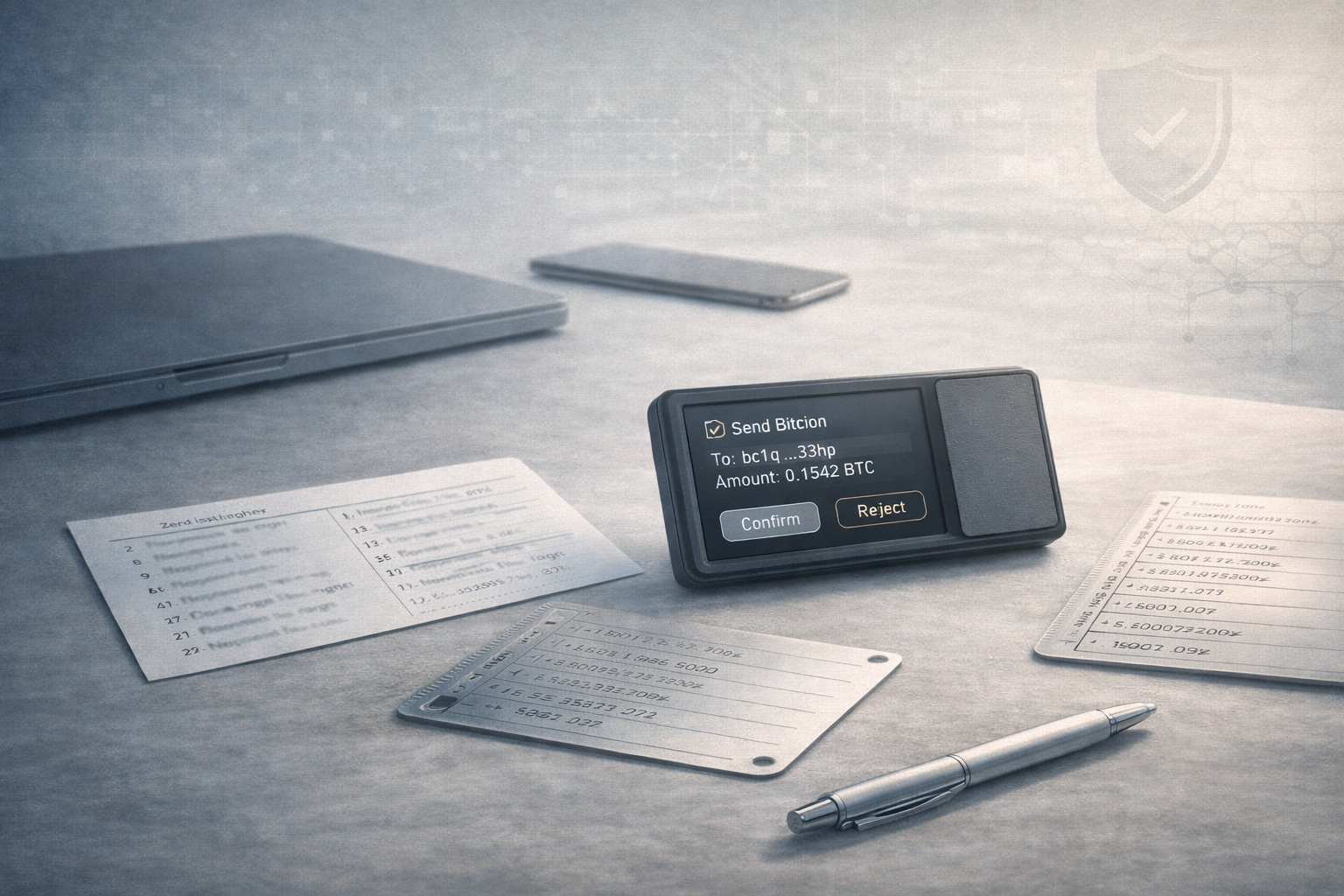
- Hardware Wallet (Cold Storage): Keys live on a separate, offline chip. When you want to send funds, the transaction data is sent to the device. You review the details on the device’s physical screen and press a physical button to sign. The signed package is sent back to the computer. Your private keys never touch the internet.
3. Threat Model: What You’re Protecting Against in 2026
In 2026, the biggest threat is no longer simple viruses; it is smart phishing and supply chain injection.
| Threat | Who it hits | Does Hardware Wallet Help? | What actually stops it? |
|---|---|---|---|
| Malware / Keyloggers | Desktop/Mobile wallet users | YES. The device isolates keys from the infected computer. | Hardware wallet usage. |
| Phishing Sites | Users connecting to “support” or “airdrops” | PARTIALLY. It stops key extraction, but you can still authorize a bad transaction. | You verifying the contract/address on the device screen. |
| Fake Wallet Apps | Mobile users downloading clones | YES. A hardware wallet won’t yield keys to a fake interface (unless you type the seed). | Never typing your seed phrase into a computer/phone. |
| Supply Chain Attack | Buyers from eBay/Amazon | MAYBE. Tampered devices can steal funds. | Buying direct from manufacturer; checking tamper seals/firmware. |
| Seed Phrase Theft | Users storing seeds in cloud/photos | NO. If your seed is in iCloud, the hardware wallet is useless. | Storing seed on paper/steel only. |
| $5 Wrench Attack | Physical coercion | PARTIALLY. “Passphrase” (hidden wallet) features help plausible deniability. | Using a hidden passphrase/wallet. |
4. Hot Wallet vs Hardware Wallet vs Custodial Wallet
| Feature | Custodial (Exchange) | Hot Wallet (Metamask/Phantom) | Hardware Wallet (Cold Storage) |
|---|---|---|---|
| Control of Keys | Exchange has them (IOU). | You have them (Encrypted on disk). | You have them (Isolated on chip). |
| Security Risk | Exchange collapse / Account freeze. | Malware / Hackers remote access. | Physical theft / User error. |
| Recovery | ID verification (if exchange exists). | Seed phrase. | Seed phrase. |
| Cost | Free. | Free. | $60 – $250+. |
| Best Use Case | Day trading; on-ramping fiat. | Small spending; quick DeFi interactions. | Savings; long-term holding; large DeFi positions. |
5. Cold Storage Done Right (not just “buy a device”)
Buying a Trezor Safe or Ledger Nano is only step one. “Cold storage” is a process, not a product.
The Seed Phrase is God
Your 12 or 24 words are the master key.
- Never type them into a keyboard, phone, or camera.
- Never take a photo of them.
- Never save them in a password manager.
The hardware wallet generates these words offline. You write them on paper (or steel). That physical copy is your real wallet. The device is just a remote control.
The Passphrase (The “25th Word”)
For amounts over $10,000, consider a passphrase. This is a custom word you add to your seed.
- Seed + No Passphrase = Standard Wallet
- Seed + “Monkey123” = Completely different Hidden Wallet
If someone finds your seed words, they see an empty wallet. They need your brain-stored passphrase to access the real funds.
Steel Backups
Paper burns and rots. In 2026, steel plate backups (like Cryptosteel or Billfodl) are the standard for serious storage. They survive house fires and floods where paper backups fail.
6. How to Choose: Decision Framework
Stop asking “what is the best wallet.” Ask “what is the best wallet for my habits?”
Scenario A: The DeFi / NFT Daily User
Priority: Screen verification. You need to read smart contract data clearly to avoid “blind signing” scams.
- Winner: Ledger Flex or Ledger Stax.
- Why: The E Ink touchscreen allows you to parse transaction data (“Clear Signing”) better than the tiny scrolling text on older stick-drives. Bluetooth connectivity makes it usable with mobile DeFi apps.
Scenario B: The Bitcoin Saver (HODL only)
Priority: Simplicity, open-source code, minimization of attack surface.
- Winner: Trezor Safe 3 (or Safe 5) running Bitcoin-only firmware.
- Why: You can install firmware that literally removes the code for altcoins. Less code = fewer bugs. Trezor’s open-source ethos allows the community to audit the security model constantly.
Scenario C: The Mobile Nomad
Priority: Durability, form factor, lack of cables.
- Winner: Tangem Wallet.
- Why: It’s a card. No battery to die, no cable to lose. You tap it to your phone to sign. Perfect for travel.
- Trade-off: You rely on the mobile app interface more than a screen-on-device verification (though Tangem’s chip architecture is EAL6+ certified).
Scenario D: The Paranoid Expert
Priority: Air-gap. You never want the device to physically touch a computer.
- Winner: Coldcard Q1 or Keystone 3 Pro.
- Why: These use QR codes or MicroSD cards to pass data. Your keys are physically disconnected from USB ports, neutralizing USB-based exploits.
7. 2026 Shortlist: The Devices
Trezor Safe Line (Safe 3 & Safe 5)
The Trezor Safe series (replacing the old Model One) brings a dedicated Secure Element (EAL6+) to the open-source architecture. This fixes the old physical vulnerability where an attacker with your device could extract keys with a laboratory laser.
- Best For: Bitcoiners, privacy advocates, open-source lovers.
- Pros: “Shamir Backup” compatible (split your seed into shares); Bitcoin-only firmware option; USB-C.
- Cons: Touchscreen on Safe 5 can be finicky compared to physical buttons; no iOS support for older models (Safe 3/5 work fine via web).
- Check First: Ensure the holographic seal on the USB-C port is intact.
Ledger Devices (Nano S Plus, Flex, Stax)
Ledger remains the ecosystem king. The Ledger Nano S Plus is the budget staple, but the Ledger Stax and Ledger Flex define the premium 2026 experience with curved E Ink screens.
- Best For: DeFi users, people who want one app (Ledger Live) for everything.
- Pros: Massive coin support; industry-standard app; “Ledger Recover” (optional paid cloud backup for seed—controversial but useful for some).
- Cons: Closed-source secure element firmware (you must trust Ledger); “Recover” feature rollout caused trust issues in 2023/2024.
- Warning: Ignore “Ledger Recover” unless you fully understand the trade-off (convenience vs. giving a 3rd party access capability).
Tangem Wallet
A radical departure. It’s a credit-card-shaped cold wallet. You tap it against your phone via NFC.
- Best For: Beginners who find “24 words” scary.
- Pros: Cheapest durable option; waterproof; “seedless” setup available (keys live on card only).
- Cons: If you choose the “no seed” setup and lose your cards (usually sold in packs of 2 or 3), funds are gone forever. We recommend generating a seed phrase option if you want traditional recoverability.
8. Setup Checklist (Step-by-Step)
Follow this exactly to avoid the “man-in-the-middle” supply chain attack.
- Purchase Verification: Buy ONLY from the official domain (e.g., trezor.io, ledger.com). Never Amazon/eBay.
- Physical Inspection: Check for tampering. Does the box look glued? Is the anti-tamper seal voided?
- Firmware Check: Connect to the official app. The app should verify the device is genuine and ask to install firmware. If the device comes with a PIN already set or a seed phrase pre-written on a card, IT IS A SCAM. THROW IT AWAY.
- Seed Generation:
- Generate the 12/24 words.
- Write them down.
- Verify them: Most devices force you to re-enter the words to prove you wrote them correctly. Do not skip this.
- The “5 Dollar Test”:
- Send $5 worth of crypto to the wallet.
- Wipe the device (reset to factory).
- Restore the wallet using your written seed words.
- If your $5 reappears, your backup is valid. Only now should you deposit real savings.
9. Everyday Use Checklist
- Address Verification: When sending funds to your cold wallet, check the address on the device screen, not just your computer screen. Malware can swap the address on your computer clipboard (Clipboard Hijacking).
- Small Test First: Sending $50,000? Send $10 first. Confirm receipt. Then send the rest.
- Blind Signing: If your device screen says “Blind Signing” or “Unverified Contract,” pause. You are signing a transaction the device cannot decode. Proceed only if you 100% trust the dApp.
10. Recovery & “What If” Scenarios
Q: What if the hardware wallet breaks or falls in a lake?
A: You buy a new one (any brand that supports BIP39 standard), enter your 12/24 words, and your money is there. The device is disposable; the seed is permanent.
Q: What if the company (Ledger/Trezor) goes bankrupt?
A: Your funds are safe. You can restore your seed phrase into a different brand of wallet (e.g., restore a Ledger seed into a Trezor) or a compatible software wallet (Electrum/Sparrow) in an emergency.
Q: Do I need Multisig?
A: For amounts under $100k, probably not. A “single sig” hardware wallet with a passphrase is very secure. Multisig (requiring 2-of-3 keys to sign) adds complexity that often leads to user error (losing keys) rather than preventing theft.
11. Scam & Mistake Section
- The “Support” DM: No wallet company will ever DM you on X/Discord/Reddit. They will never ask for your seed phrase.
- The “Validation” Site: Scammers buy Google Ads for “Trezor Bridge” or “Ledger Live.” You download a fake app that asks for your seed. Always check the URL carefully.
- The Photo Backup: You take a photo of your seed “just for a minute.” Google Photos uploads it. Your Gmail gets hacked. Script-bots scan your photos for text resembling seed words. Wallet drained.
12. FAQ
Q: What is the single recommended hardware wallet for storing BTC in 2026?
A: The Trezor Safe 3 (Bitcoin-only edition). It removes altcoin complexity, is affordable, uses a secure element, and is fully open-source.
Q: Best crypto wallet for everyday use vs storage?
A: Use a Hot Wallet (Rabby/Metamask) for daily “pocket money” spending (under $500). Use a Hardware Wallet for your “savings account.” Never connect your savings wallet to random dApps.
Q: Is a hardware wallet better than a software wallet?
A: For security, yes, infinitely. A software wallet is always connected to the internet (hot). A hardware wallet is air-gapped until you sign (cold).
Q: Should I keep funds on an exchange (Coinbase/Binance)?
A: Only what you are actively trading. If you plan to hold for 6+ months, move it to cold storage. Exchanges can freeze accounts or get hacked.
13. Final Takeaways
- Not your keys, not your coins. If an exchange holds it, you don’t own it.
- The seed phrase is the wallet. The device is just a key-card.
- Verify on-screen. The computer screen lies; the hardware wallet screen tells the truth.
- Buy direct. Ignore Amazon prime shipping; wait for the official shipment.
- Steel beats paper. For life-savings, invest $30 in a steel backup plate.
- Complexity kills. Don’t set up a multisig scheme you can’t remember how to use 5 years from now.
- Test your backup. If you haven’t tested restoring it, you don’t have a backup; you have a hope.
Security is not a product you buy; it is a habit you build. Choose the device that fits your technical comfort level, and focus 90% of your energy on securing your seed phrase.